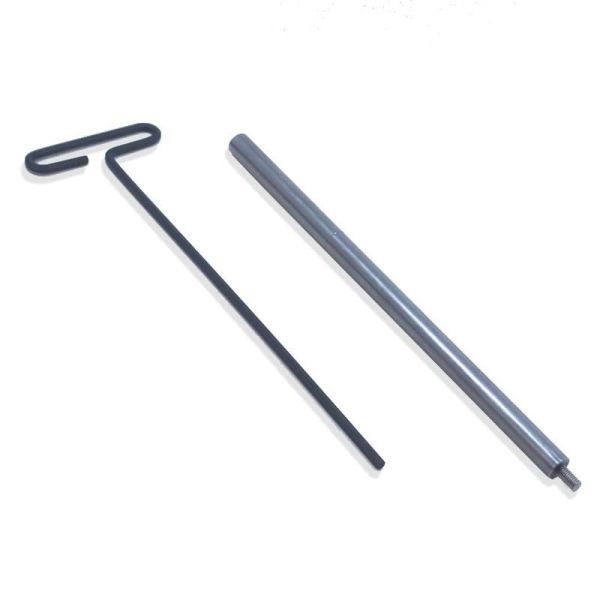
When you order the Appcon A-Headset mount from us, you will have the option to purchase this toolkit.(The kit cannot be ordered alone; it is available only as an add-on when purchasing the A-Headset mount) This installation job requires understanding how to drive a star nut down while keeping it straight with the steerer tube, and how to preload a threadless headset.
The star-nut installer will allow you to drive your existing star nut to the required depth. Thread it into your star nut until it stops (hand-tight is sufficient), and keep the tool centered in the opening of your steerer tube as you tap the star nut down with a hammer. Stop when the machined groove is just visible above your stem or highest headset spacer.
The 4mm T-handle allen wrench is used to install and adjust the M6x1 preload bolt included with the A-headset mount. Put a little bit of grease on the threads and under the head of the bolt. Remember: the preload bolt is only to *preload* the bearings properly and is *not* tightened very much at all, lest you damage the headset bearings. If in doubt, take this to your friendly local bike mechanic. Be sure to orient the two wire grooves at an angle that makes sense for your installation.
Pro tip: Point the business end of the allen wrench straight up, set the preload bolt on the end of the wrench, and slide the A-Headset mount down onto the bolt from above, then slide the whole assembly into the steerer tube as one to keep the preload bolt right where you want it.
Appcon A-Headset Mount Toolkit:
- 10" long star-nut setter (a Perennial Cycle exclusive; we custom machine these ourselves)
- 10" long 4mm T-handle allen wrench
Validate your login
Sign In
Create New Account